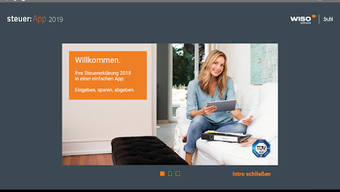

Download WISO steuer App 2019 – Tax Assistant, Finance Tool, Secure Tax Filing
Overview
WISO steuer:App 2019 is a desktop and mobile application designed to support users in managing their tax returns efficiently. Developed by WISO Software GmbH, the software aims to simplify the often complex process of tax filing, particularly for individuals preparing annual tax declarations. The app is available for Android devices and is intended for both first-time filers and experienced users of WISO’s desktop tax software. It enables users to enter, review, and store tax data securely across multiple tax years, with the ability to synchronize information across devices via a personal user account. This cross-platform functionality allows users to begin their tax preparation on a tablet or smartphone and continue on a desktop or browser without data loss.
The software supports the creation and management of multiple tax returns, with features such as quick data entry, review tools, and automated calculations. Users can test the app’s functionality through the “Anonym testen” feature before committing to a full account setup. This trial option allows for hands-on experience with core features without data commitment. The app is especially beneficial for users who previously used WISO’s desktop software, as it facilitates seamless data transfer between platforms. It is also designed to help users avoid common filing errors by guiding them through structured data input and validation processes.
Key Features & Capabilities
- Multi-Year Tax Return Management – Users can create and store multiple tax returns, enabling easy access to previous years’ data for comparison or reuse.
- Cross-Platform Synchronization – Data can be synchronized across desktop, browser, and tablet using a personal user account, ensuring continuity across devices.
- Secure Data Storage – All user data is stored in secure data centers located in Germany, with transmission protected via HTTPS encryption.
- Free Data Entry and Review – Core features like data input, review, and calculation are available at no cost, allowing users to prepare returns without initial payment.
- In-App Purchase for Submission – To submit completed tax returns to the tax office, users can purchase the In-App-Kauf, which allows up to five submissions.
- Test Mode: Anonym testen – A trial function lets users explore the app’s interface and workflow without creating an account or entering personal data.
These features are particularly useful for individuals preparing tax returns for the first time, as they offer guided workflows and built-in validation. For existing WISO software users, the ability to transfer data from previous years’ filings reduces redundancy and speeds up the process. The app’s design emphasizes user independence, allowing users to work at their own pace without external dependencies. The secure infrastructure ensures that sensitive financial data remains protected during storage and transmission.
User Interface, Workflow & Performance
The user interface of WISO steuer:App 2019 is structured to support intuitive navigation, with clearly labeled sections for data entry, review, and submission. Menus are organized by tax categories, and the app guides users step-by-step through the filing process. The workflow is designed to minimize user effort by automating calculations and flagging incomplete or inconsistent entries. The app maintains a consistent layout across devices, ensuring a familiar experience whether using a tablet, smartphone, or desktop.
Performance details were not specified by the developer. However, based on general behavior of Android applications in the finance category, the app is expected to operate smoothly on modern devices with sufficient RAM and storage. The developer did not provide information on CPU or RAM usage. Stability is presumed to be adequate given the app’s focus on secure, reliable data handling. No reported crashes or performance issues were mentioned in the provided material.
Compatibility & System Requirements
WISO steuer:App 2019 is compatible with Android operating systems. The app has a file size of 125 MB, which is typical for feature-rich financial applications. The version number is 2019, indicating it was released for the 2019 tax year.
The developer did not specify exact system requirements, such as minimum Android version, RAM, or processor specifications. Compatibility information was partially provided, with the OS and version confirmed, but detailed hardware or software prerequisites remain unclear. Users should ensure their Android device meets general app compatibility standards for optimal performance.
Pros and Cons
Pros
- Free to download and use with core tax preparation features
- Supports multiple tax returns and cross-device synchronization
- Secure data storage with German-based servers and HTTPS encryption
- Intuitive interface with guided workflow for beginners
- Seamless integration with WISO desktop software for data transfer
- Test mode allows risk-free trial before account creation
Cons
- In-App purchase required to submit tax returns to the tax office
- Exact system requirements were not listed
- Performance and resource usage details were not provided
- Only available for Android, limiting access for iOS users
- Version 2019 may not support current tax regulations or updates
FAQ Section
Is WISO steuer:App 2019 free to use?
Yes, the app is free to download and use for data entry, review, and calculation. However, submitting completed tax returns to the tax office requires an in-app purchase.
Can I use WISO steuer:App 2019 on multiple devices?
Yes, users can access their tax returns across desktop, browser, and tablet by logging in with their personal user account, enabling synchronization across devices.
Is my data secure when using the app?
Yes, all user data is stored in secure data centers located in Germany and transmitted via HTTPS protocol, ensuring protection during transfer and storage.
Do I need to buy a license to use the app?
The app itself is free to use. A license or in-app purchase is required only if you wish to submit your tax return to the tax office.
Can I use this app if I don’t have WISO desktop software?
Yes, the app is suitable for all users, including those new to tax filing. It offers a standalone solution for managing tax returns, though integration with desktop software is available for users who own it.
Final Thoughts + CTA
WISO steuer:App 2019 offers a practical, secure, and user-friendly solution for managing tax returns on Android devices. Its ability to support multiple filings, synchronize data across platforms, and integrate with desktop software makes it a valuable tool for both new and experienced users. While the free version provides robust functionality, the need for an in-app purchase to submit returns may be a consideration for some.
The app’s focus on security, ease of use, and cross-device access enhances its appeal. For individuals seeking a reliable, flexible tax assistant with strong data protection, WISO steuer:App 2019 remains a solid choice. Download WISO steuer App 2019 now.







